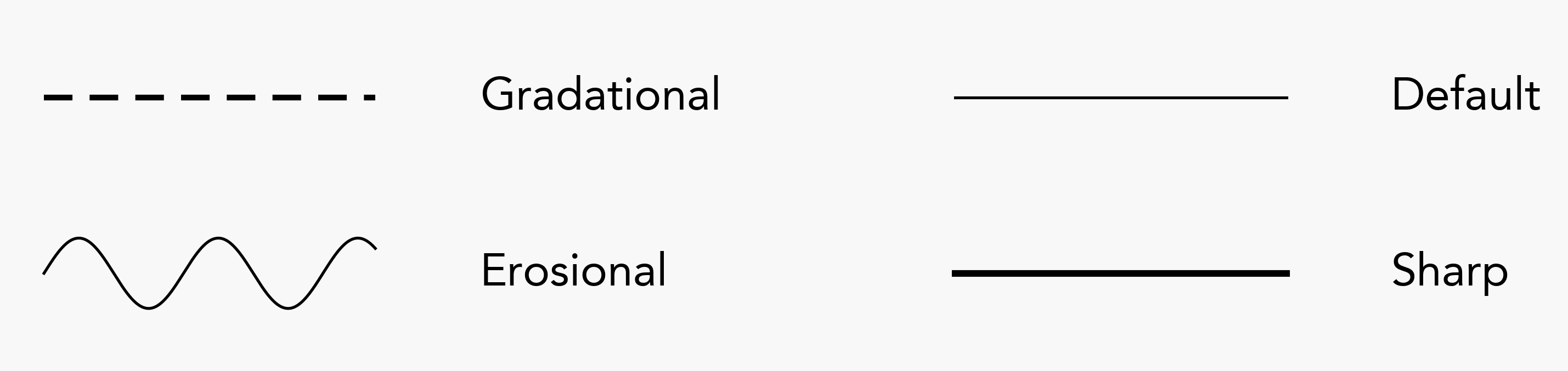
Available Assets
This page lists the lithologies, minerals, and features available by default in stratapy. Each tab in the display below highlights the available options.
Display options (like lithology colours, mineral colours and shapes, and custom features), as well as the names of all assets, can be customised. See Adjusting Assets for more details.
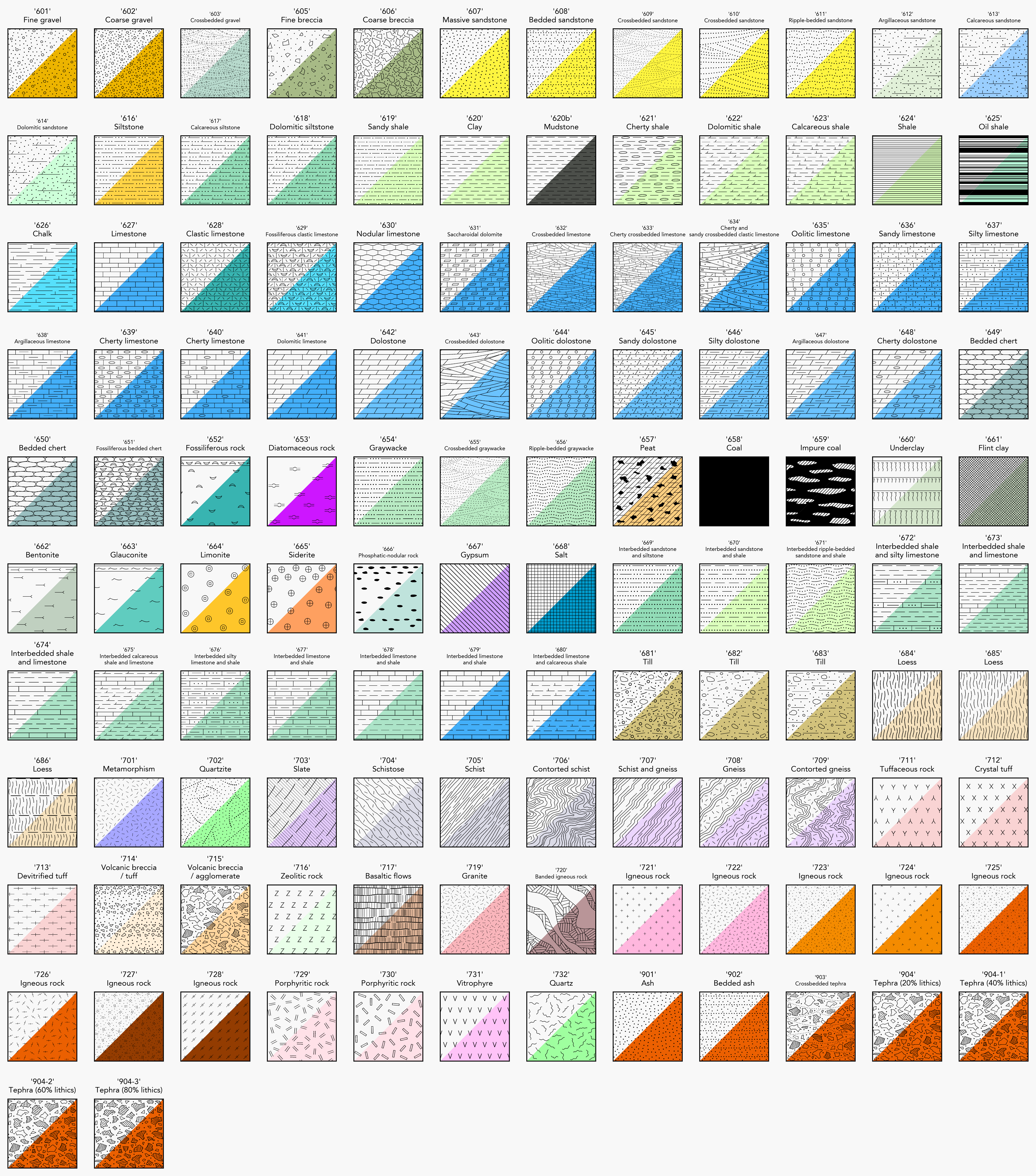
Lithological Patterns
Each swatch is shown with its black and white version on the top, and a default coloured version on the bottom, with the latter accessed using the key or name of the swatch, suffixed with an asterisk e.g., 603* or 724*. As mentioned above, additional swatches can be created, either using existing patterns with different colours and names, or by using custom images - see Adjusting Assets for details.
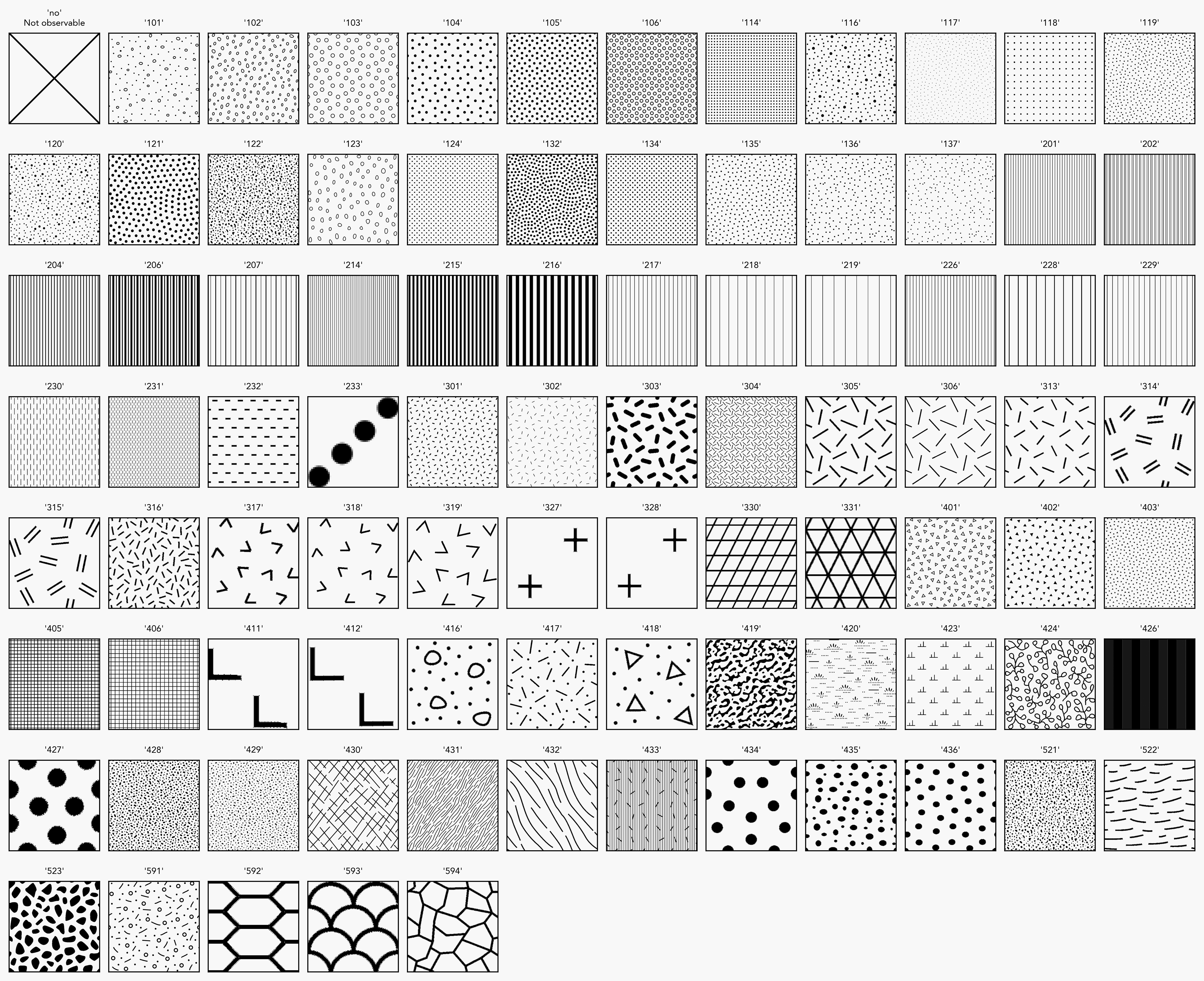
Other Patterns
Also able to be coloured and modified, but no default coloured versions are provided. These patterns are accessed using the numerical keys, unless custom names are assigned.
Mineral names are case insensitive.
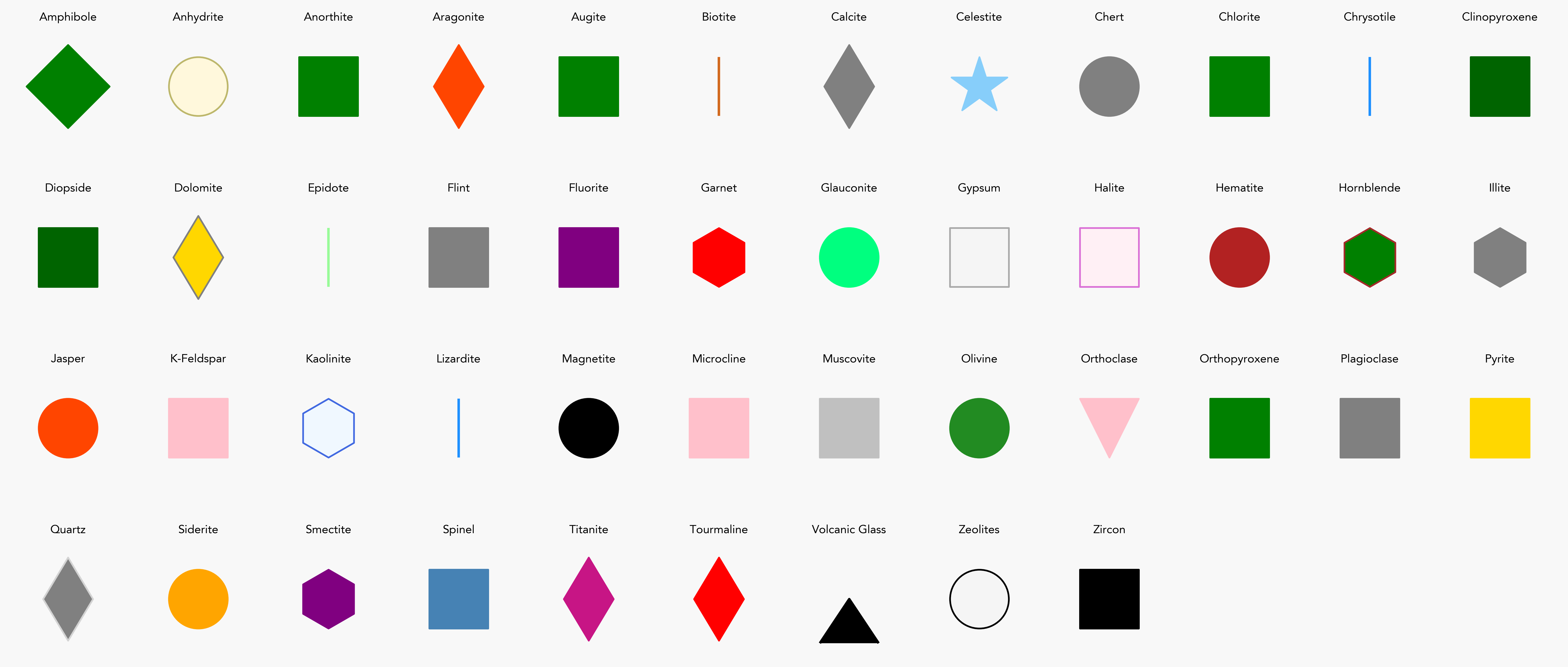
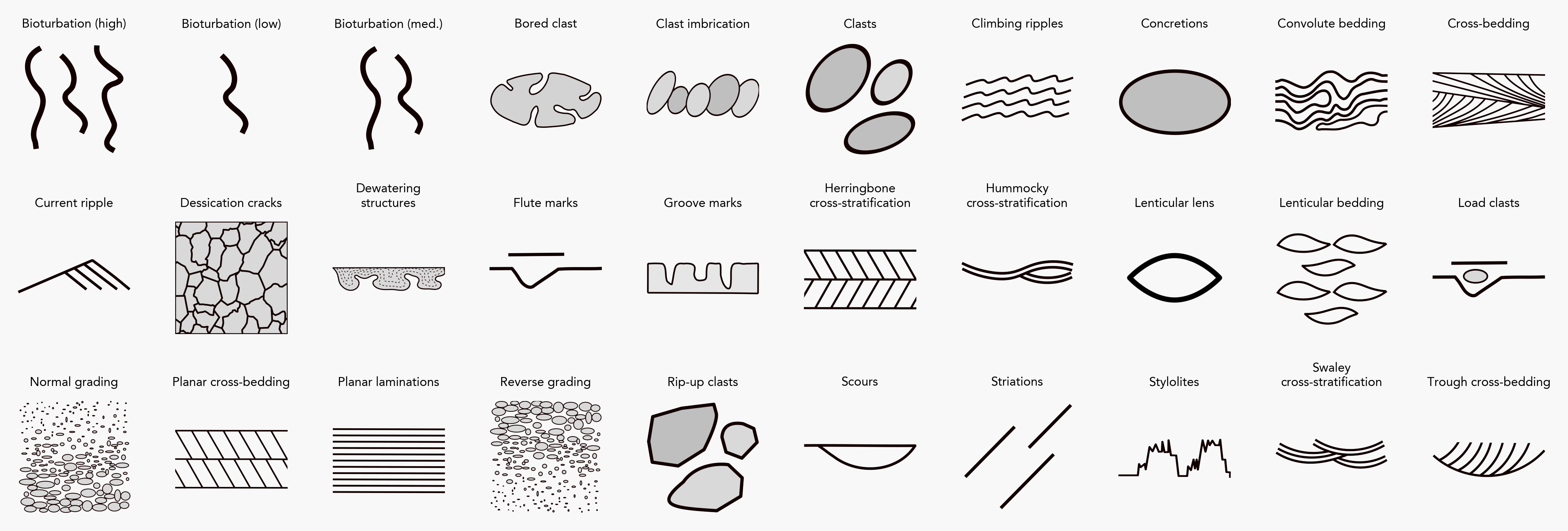
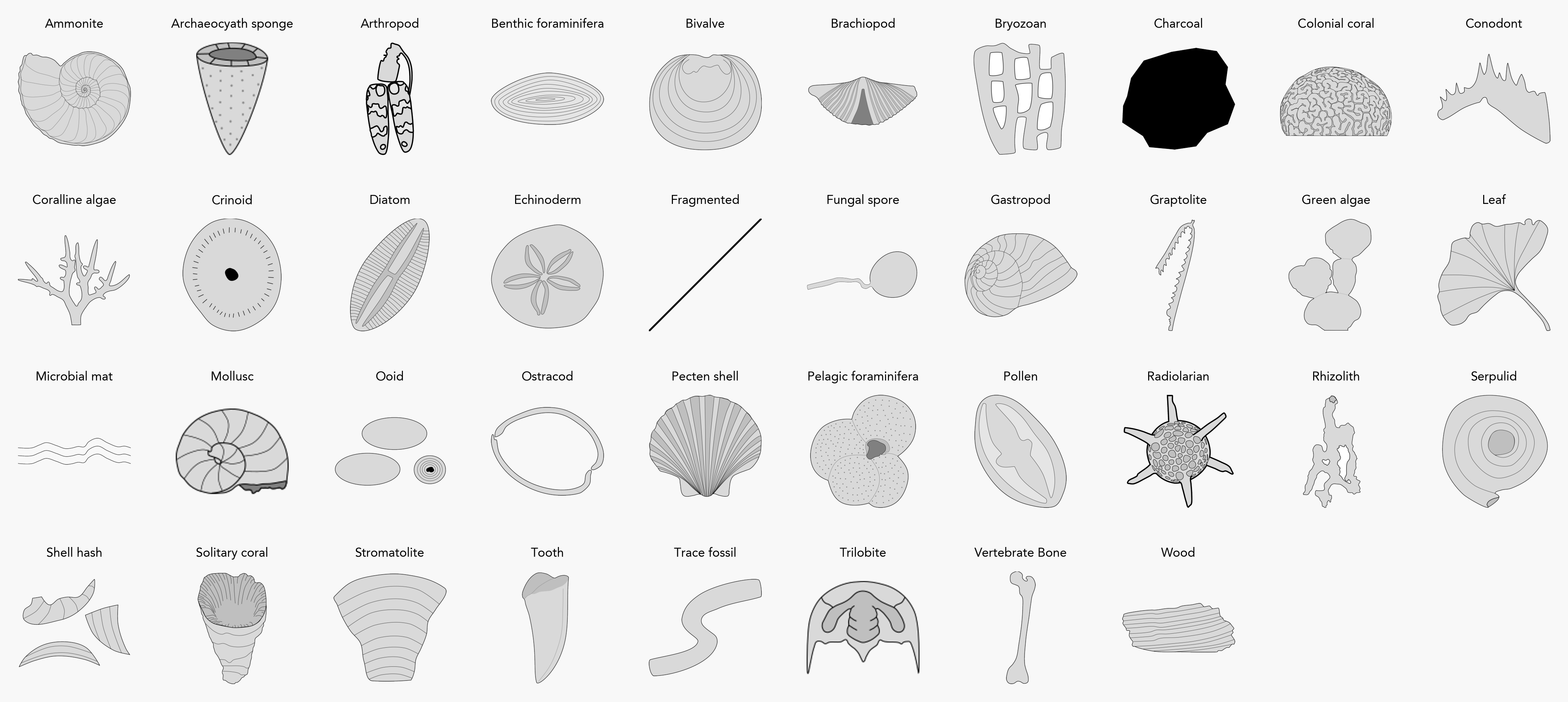
Feature keys used in the input file are case insensitive, but the display names are always shown in title case, as seen in the figure. Display names of default features can be customised using the update_features() method, which also enables you to add new features, including custom images.
Sedimentary Features
Palaeontological Features
Tectonic Features

Specified in the input file.